.png)
Go Problems (BETA)
Go Problems is a site dedicated to practising playing the game of go by solving tsumego.
What can I beemind with Go Problems?
The overall number of tsumego you complete on Go Problems.
Will it fetch my past progress?
Sort of. When we set up your goal, we'll start off the y-axis at the appropriate point for the number of tsumego you completed before creating the Beeminder goal. That means that if you've already done the problems you want to do today, you need to set up your goal with at least a day's buffer in order to avoid having to do more today.
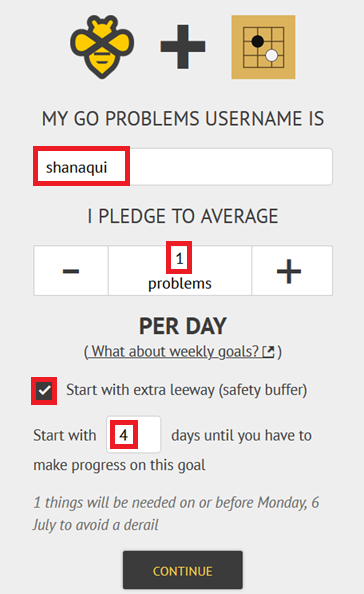
Go Problems sample goal setup
- Head to create a new goal.
- Click the Go Problems icon to start a new goal using Go Problems data.
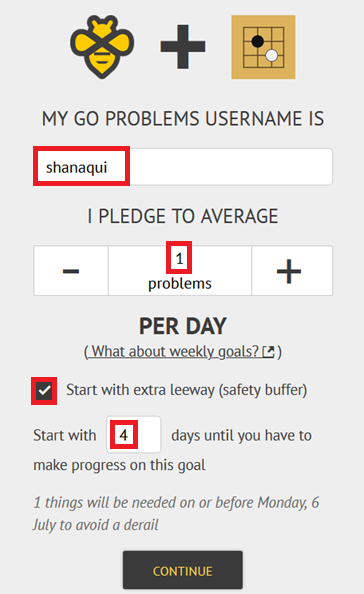
- First, type in your Go Problems username so we can find you, and then you need to set your daily rate. For example, if you want to do one tsumego per day, you'd set the rate to 1.
Lastly, if you want to delay your goal's start a few days (maybe you're traveling this weekend), be sure to tick the Start this goal with extra leeway box. Enter the number of days you want to delay and press Continue.
- Give your goal a brief name. If you want, you can also write a short description with more information.

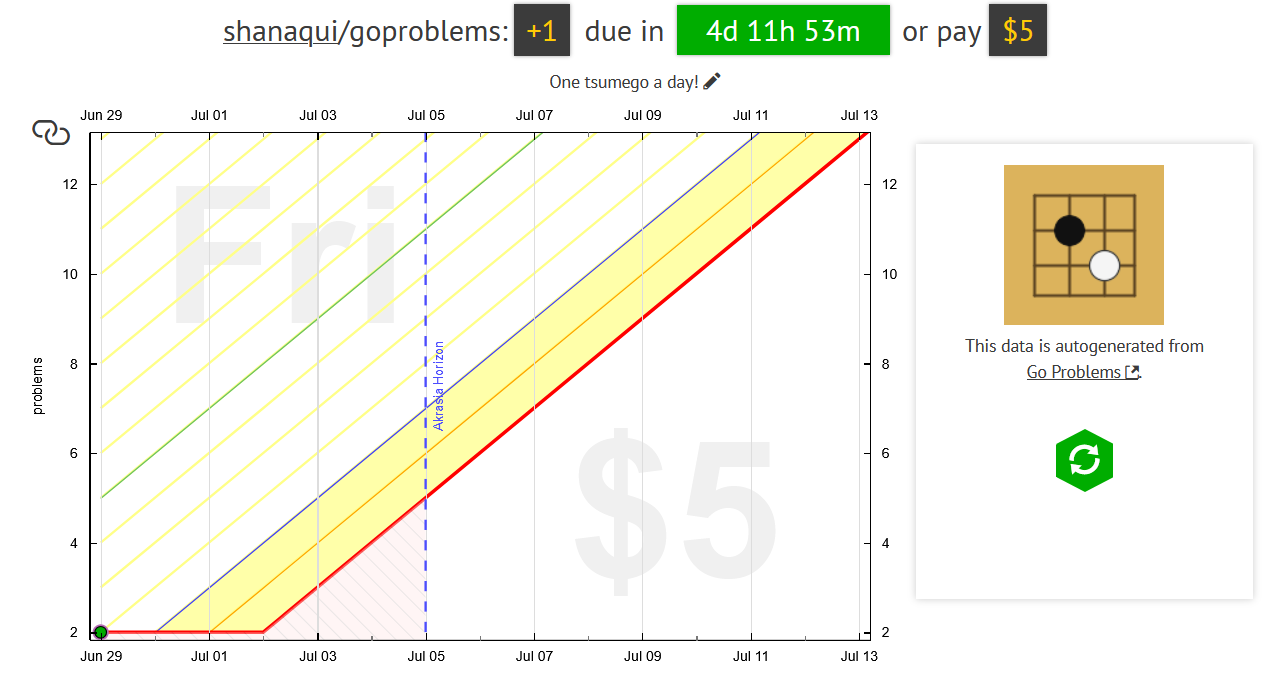
- Finally, choose your initial pledge. This is the amount you will pay the first time you derail on the goal. After derailing, the pledge will increase by default — use the dropdown below to control how high it goes by selecting the cap. In the example below, I have chosen to start at a $5 pledge, which will increase each time I derail, until it reaches $270 — the pledge cap. (To read more about pledges and payments, check out some FAQs!)
If you want to start out with a sort of trial period, you can choose to start the goal at $0. If you do that, the pledge will automatically increase to $5 after seven days. If you derail before that, it will also increase to $5.

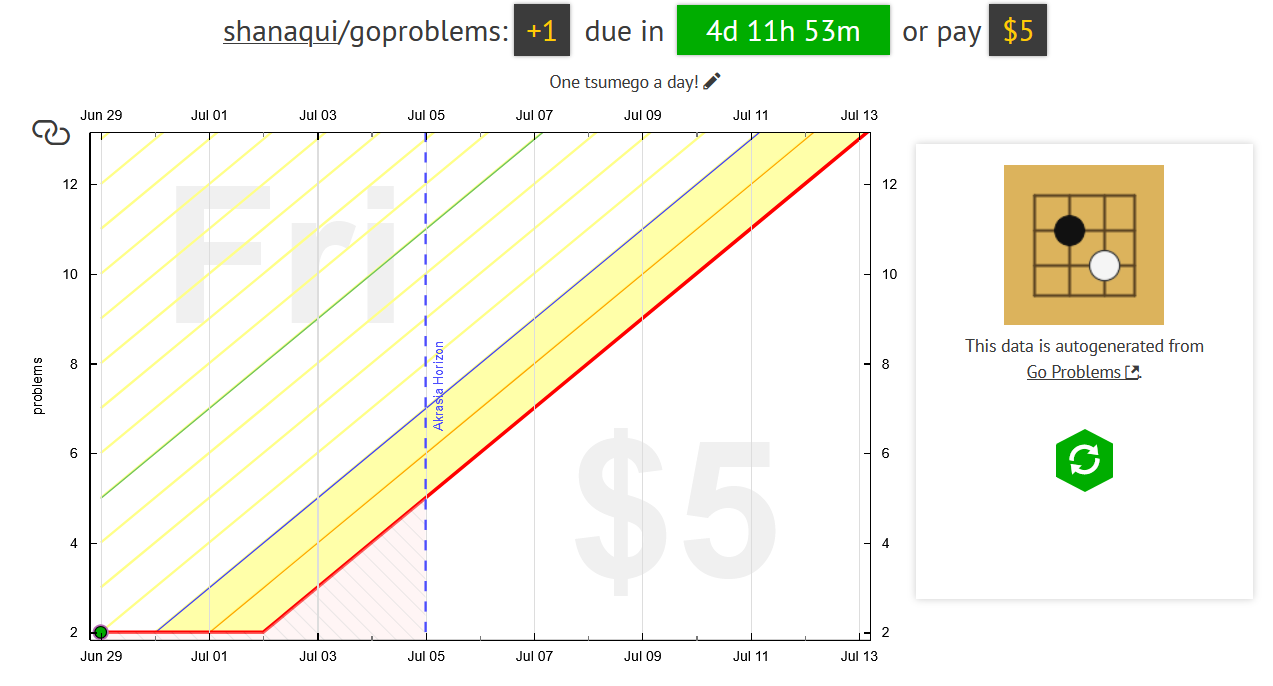
- Step through the preview and payment confirmation screens, and that's it! I'll need to complete one tsumego in the next 4 days to avoid paying Beeminder my first $5.


Keywords: autodata integrations, games