.png)
BoardGameGeek
This is our newest integration! Changes are possible, and bugs may still exist. We welcome any feedback!
- What can I beemind with BoardGameGeek?
- When does the goal update?
- Why isn't the game I want to track appearing in the dropdown?
- Why isn't the y-axis starting at zero?
- BoardGameGeek sample goal setup
BoardGameGeek lets you track your board games and how often you play them.
What can I beemind with BoardGameGeek?
You can beemind the number of times you play a specific game. You can choose a "Do More" goal for playing at least a certain amount of your chosen game, or "Do Less" for setting limits on how much you can play your chosen game. (See below for beeminding plays across all games.)
That means you can use a BoardGameGeek goal to make sure you're putting in the time on your backlogged games... or you can (theoretically?) use it to help you limit how much time you play distracting games. You could even make a goal for each for the same game, in order to keep your gaming within certain limits.
You can beemind total game plays as well.
When does the goal update?
Mostly as soon as you add the data in BoardGameGeek. You may have to hit refresh (aka refetch autodata) in Beeminder but you can also count on Beeminder doing that automatically before your deadline hits.
For a Do Less goal (not that we expect this to be a popular option for BoardGameGeek), we may not be able to fetch data in time to send you reminders if you go over your limit.
Why isn't the game I want to track appearing in the dropdown?
Games only appear once you've logged at least one play for them. If you log a play session for the game you want to track, then you should be able to select that game in future.
Why isn't the y axis starting at zero?
We pull in the cumulative total number of plays from your BoardGameGeek profile, so we need to start the graph out where you are right now. Otherwise, the first time we fetched data you'd get credit for all previous plays, and that might make your goal look pretty weird... and potentially not due for years, depending on how long you've been logging data on BoardGameGeek! Starting the y-axis at your current cumulative total makes sure we'll only track games going forward.
BoardGameGeek sample goal setup
- Head to create a new goal.
- Click the BoardGameGeek icon to start a new goal using BoardGameGeek data.

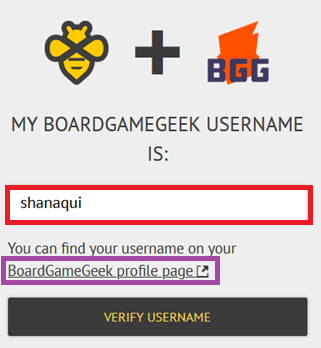
- Now you need to enter the username you use on BoardGameGeek in the box highlighted in red in the screenshot below, so we can find your account. If you're not sure, click the link below the box (highlighted in purple in the screenshot) to be directed to BoardGameGeek where you can find your username!
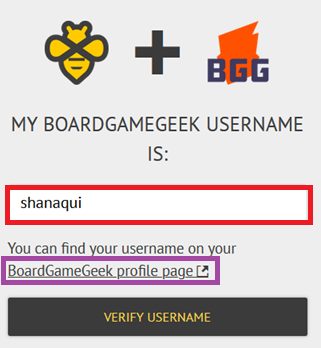
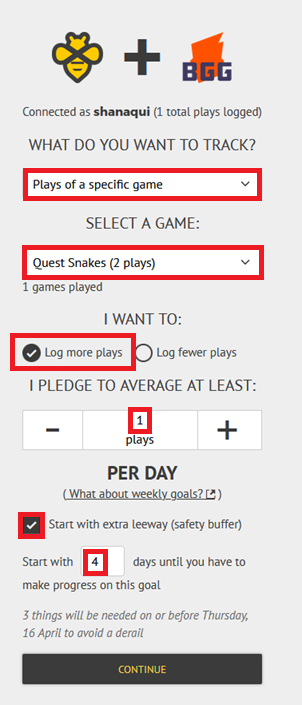
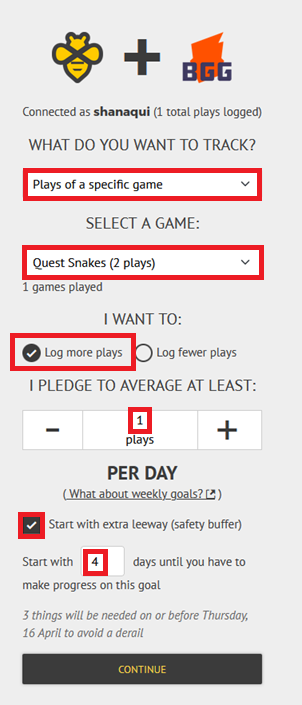
Click "Verify username" to continue. If all is well, the page will reload and display "Connected as your username". - On this page you need to choose what you want to track. You can track all plays of any games, or plays of a specific game. If you choose to track a specific game, a second dropdown will appear to select which game you own you want to track. In the screenshot below, I've picked a specific game, Quest Snakes.
Then you need to choose whether you want to log more plays or fewer plays. In the example, I've picked more, and set a rate of 1/day.
If you want to delay your goal's start a few days (maybe you're traveling this weekend), be sure to tick the "Start this goal with extra leeway" box. Enter the number of days you want to delay.
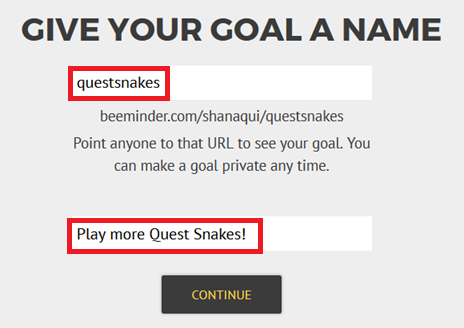
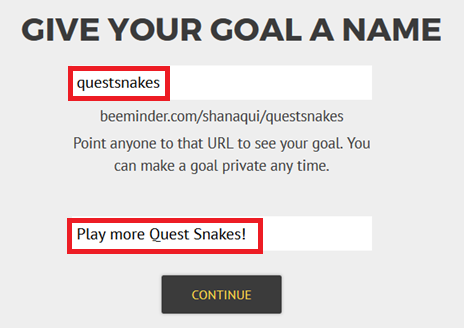
- Give your goal a brief name. If you want, you can also write a short description with more information.
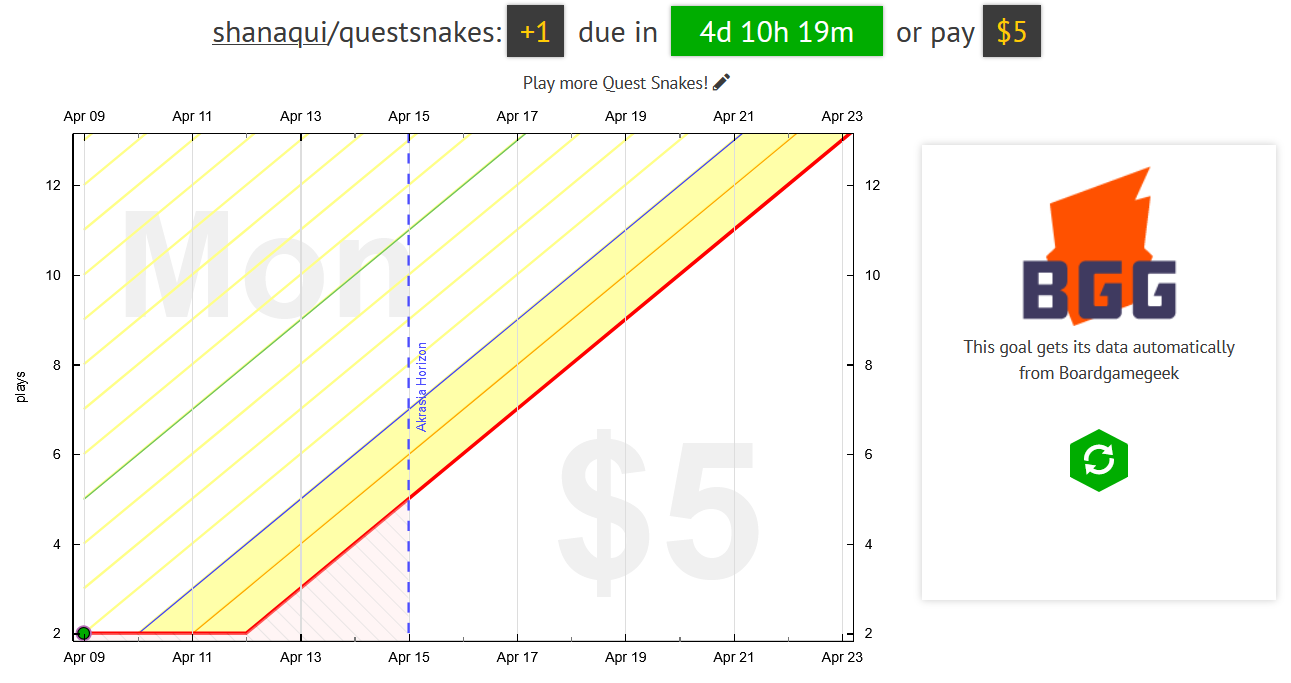
- Finally, choose your initial pledge. This is the amount you will pay the first time you derail on the goal. After derailing, the pledge will increase by default — use the dropdown below to control how high it goes by selecting the cap. In the example below, I have chosen to start at a $5 pledge, which will increase each time I derail, until it reaches $270 — the pledge cap. (To read more about pledges and payments, check out some FAQs!)
If you want to start out with a sort of trial period, you can choose to start the goal at $0. If you do that, the pledge will automatically increase to $5 after seven days. If you derail before that, it will also increase to $5.

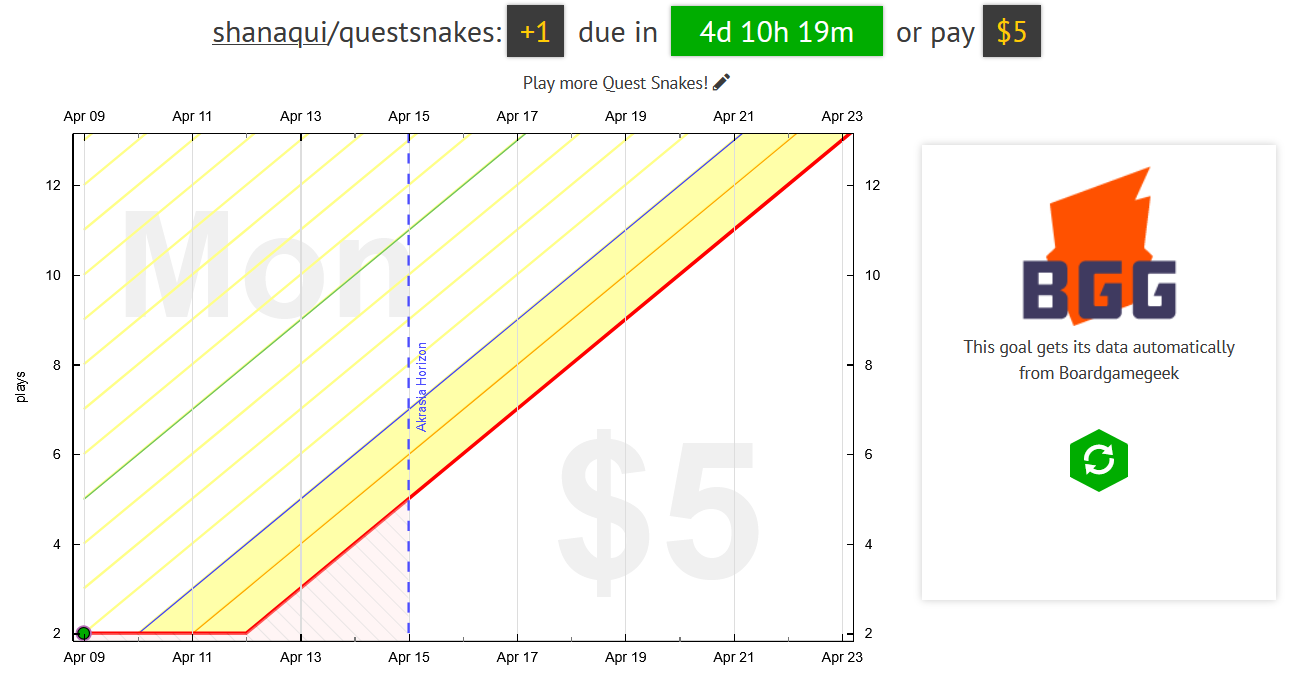
- And that's it! Step through the preview and payment confirmation to see your new graph. I'll need to start getting more points in the next 4 days to avoid paying Beeminder my first $5.


Related Beeminder autodata integrations
- BoardGameGeek (you're already here)
- Steam
- Lichess
- Project Euler
Keywords: autodata integrations, backlogs, gaming, board games